By using OpenNI2 driver, you can run and develop several applications which supporting RGBD sensor. For example, PCL (Point Cloud Library), SLAM, RTABMap supports OpenNI2 driver and aeroTAP 3D Camera works with them.
Here is information about aeroTAP OpenNI2 Driver and settings.
a) Downloads the latest driver from aeroTAP_OpenNI2.zip, then extract it.
b) Executable sample program is located in Bin/Win-x64 and Bin/Win-x32 Folders.
i.e. Run SimpleView.exe to check camera connection and settings.
Note: You may need to install Visual Studio 2015 Redistributables to run sample program.
Note: When using OpenNI2 for aeroTAP 3D Camera, you need to edit OpenNI.ini and set aeroTAP to ‘Device’ section.
GitHub – aeroTAP_OpenNI2 Driver for Win32/64, Linux, Arm, Aarch64
aeroTAP OpenNI2 drvier includes Ubuntu x64, Raspberry Pi2/3, Dragonboard 410c and NanoPi NEO3 versions.
x64-Release For Ubuntu x64
Arm-Release For Raspberry Pi2/3
aarch64-Release For Dragonboard 410c,Nano Pi NEO3
Important: For Linux environment, you need to copy lib*.so files to library path or set environment LD_LIBRARY_PATH using export LD_LIBRARY_PATH command.
Version History
Customize aeroTAP.ini file settings
By editing aeroTAP.ini file, you can customize aeroTAP OpenNI2 for your application and purpose.
| Parameter and Default value | Description |
|---|
| Filter=1 | If you want to use RAW depth map data, modify the value to 0. ( Ex. PCL or RTABMap )
i.e: Filter=0 |
| CamNo=0 | If you have multiple aeroTAP USB Camera connected, set camera No using this parameter. For example, if you want to use 2nd camera,
i.e.: CamNo=1 |
| Rotate=1 | If you wan to use camera rotated 90°, set Rotate value to 1. Output resolution is still VGA
i.e.: Rotate=1
Windows OS Only |
| Mirror=1 | If you wan to obtain mirrored image, set value 1. Image mirroring is supported by OpenNI2 API, but your application is not support it, you can use aeroTAP.ini to set mirror image. |
camWidth=1280
camHeight=720 | Set camera resoluton. aeroTAP OpenNI2 driver output resolution is always 640×480(VGA), regardless of camera setting.
aeroTAP 3D USB supports QVGA(320×240), VGA(640×480), WVGA(640×400)
aeroTAP 3D USB supports QVGA(320×240), VGA(640×480), HD(1280×720)
aeroTAP 3D USB GS supports VGA(640×480), HD(1280×720) |


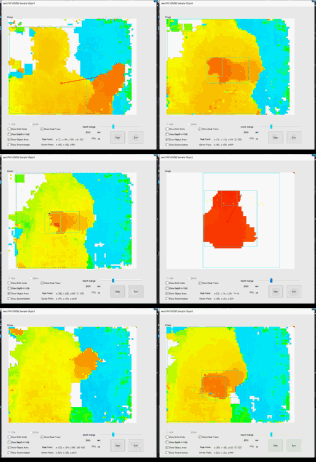
 Connecting 4 cameras
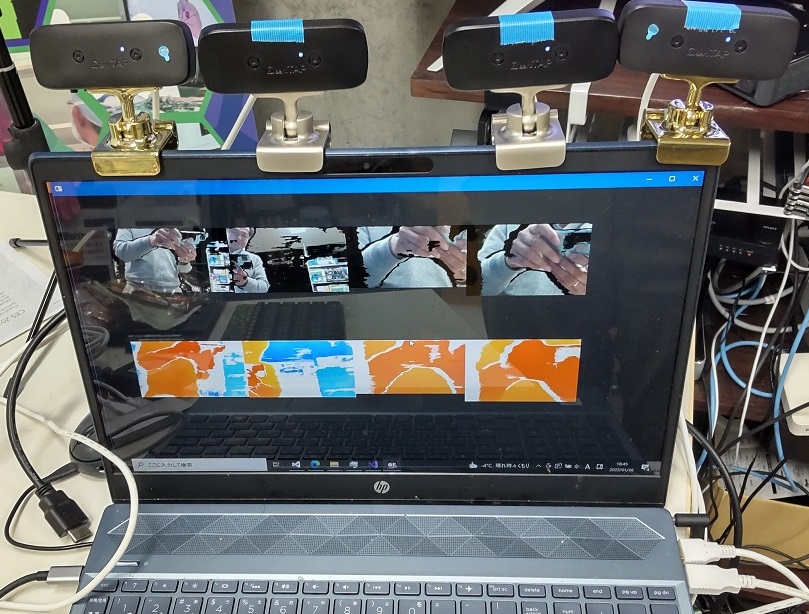 Connecting 4 cameras